Extract YouTube Video Transcripts with Ease! 🚀
With ClipToSub, instantly extract transcripts from any YouTube video. Make learning, content creation, and sharing easier with copy, timestamp control, and more.
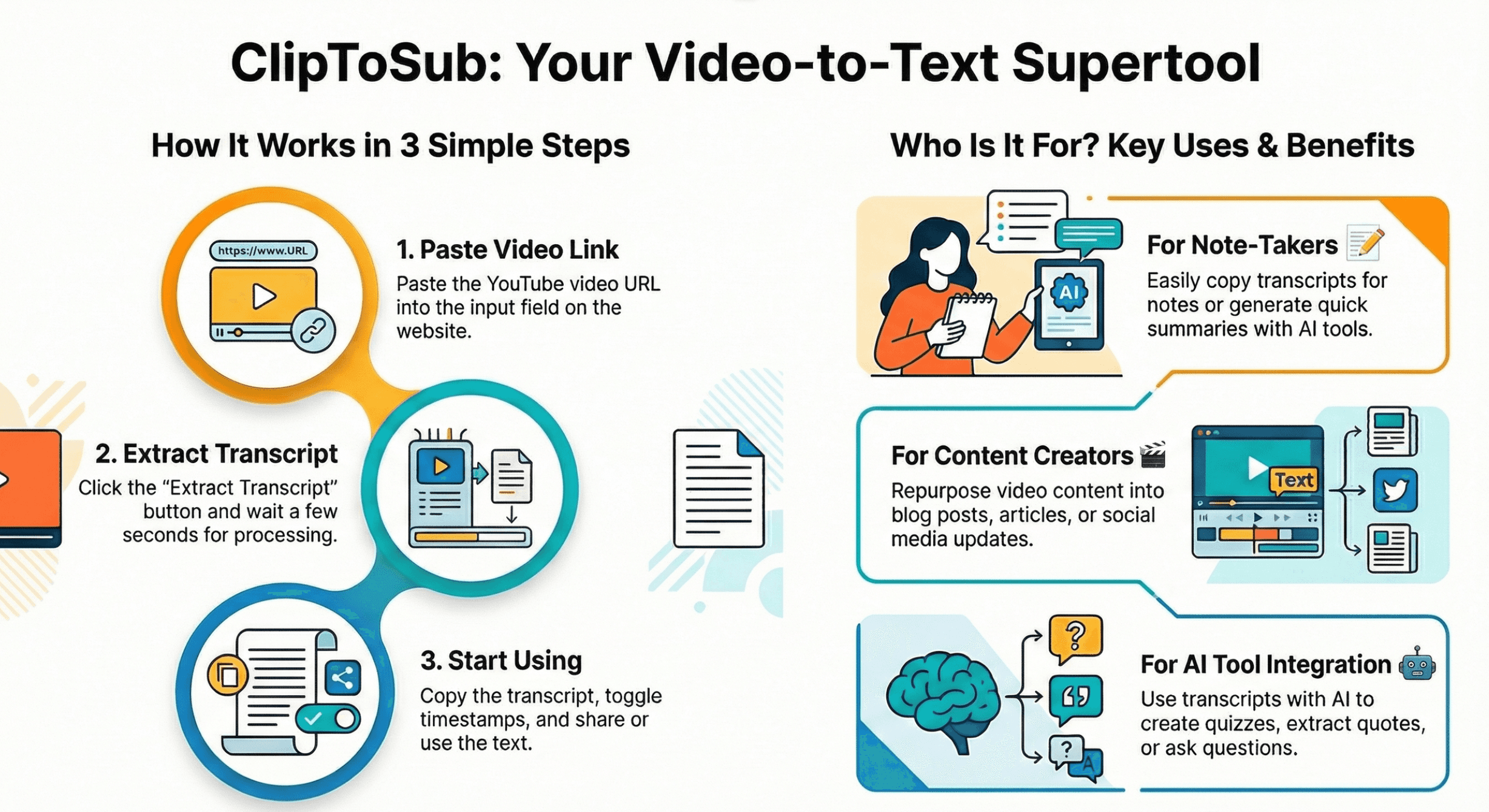
Why Use ClipToSub? 🤔
For Note Takers 📝
Taking notes while watching a video can be difficult. With ClipToSub, you can easily copy and paste the transcript into your notes. You can paste the transcript into ChatGPT or other AI tools to quickly generate summaries.
- ✓Makes it easier to take notes while watching videos
- ✓Quick summary generation with AI tools
- ✓Ideal for podcasts and educational videos
- ✓View video and transcript together
For Content Creators 🎬
Content creators can use this tool for research and content creation. Add your video URL and get the transcript. You can use the transcript to create blog posts, articles, or detailed show notes.
- ✓Create content for blog posts and articles
- ✓Add summaries to video descriptions (for SEO)
- ✓Extract key points for social media posts
- ✓Reuse old content and reach a wider audience
AI Tools Integration 🤖
Use the transcript with AI tools to generate summaries, extract notes, or create new content. Using AI for learning, content creation, and note-taking is the future.
- ✓Generate summaries and notes
- ✓Extract key points
- ✓Create Q&A and quizzes
- ✓Extract powerful quotes from videos
- ✓Ask questions and get answers from the video
Frequently Asked Questions
Yes, ClipToSub is completely free. You can easily extract subtitles/transcripts from YouTube videos.